

12 best attendance tracking software that offers value for money

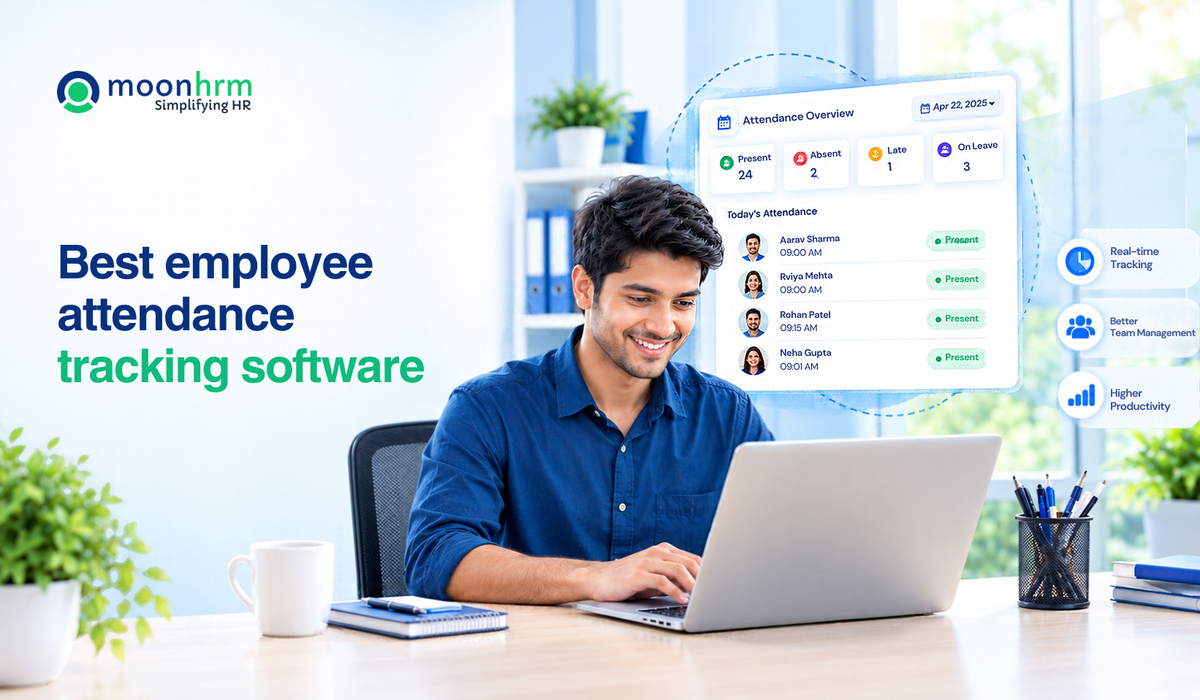
In HR workflows, tracking every employee’s attendance is crucial because it supports payroll processing. Manual handling can lead to errors, inaccurate records, and extra administrative work. However, manual attendance tracking is becoming a thing of the past.
As a result, businesses are moving toward automated attendance tracking software to reduce manual work and improve accuracy. According to The Business Research Company, the time and attendance software market size is expected to grow to $6.06 billion by 2030.
This growth reflects the increasing demand for digital attendance solutions. Companies are increasingly relying on leave and attendance tracking software to reduce manual tracking and improve accuracy.
But the real challenge is choosing the right software, as every tool varies in features and pricing. To help you choose the right tool, we’ve compiled a list of the best attendance tracking software.
Key takeaways
- Attendance tracking software helps track attendance accurately and reduce manual workload.
- When choosing an attendance tracking tool, focus on biometric attendance, GPS/geofencing, payroll integration, and leave management.
- Moon HRM combines attendance, leave management and reporting, biometric attendance, and payroll in one HR platform.
- BuddyPunch and Jibble primarily focus on employee time tracking, with features for workforce monitoring and attendance.
Quick glance at top attendance tracking software
| S. No. | Tools | Ticket management | Biometric attendance | Project management | Best for |
|---|---|---|---|---|---|
| 1 | Moon HRM (FREE plan available) | ✔ | ✔ | ✔ | Agencies and SMBs |
| 2 | TMetric (FREE plan available) | ✖ | ✖ | ✔ | Small businesses |
| 3 | Jibble (FREE plan available) | ✖ | ✔ | ✖ | Construction, retail, and healthcare |
| 4 | Clockify (FREE plan available) | ✖ | ✖ | ✔ | Remote teams and small businesses |
| 5 | Buddy Punch | ✖ | ✔ | ✖ | Businesses with hourly and shift-based work |
| 6 | Rippling | ✔ | ✔ | ✖ | Growing and mid-sized businesses |
| 7 | Deputy | ✖ | ✖ | ✔ | Shift-based companies |
| 8 | Hubstaff | ✖ | ✖ | ✔ | Remote and hybrid businesses |
| 9 | OneTap (FREE plan available) | ✖ | ✖ | ✖ | Schools, gym and universities |
| 10 | Everhour | ✖ | ✖ | ✔ | Contractors and project-based teams |
| 11 | Apploye | ✖ | ✖ | ✔ | Digital agencies and outsourcing companies |
| 12 | ClockShark | ✖ | ✖ | ✔ | Field service and trade businesses |
12 best attendance tracking software tools
1. Moon HRM
Moon HRM is versatile, cloud-based HR management software designed for small to mid-sized businesses. It helps businesses manage employee attendance, payroll, leave, and work-related process management. It’s easy to use, with a simple navigation structure.
This employee attendance software supports both on-site and remote attendance, with biometric attendance for on-site employees and clock in/clock out feature for remote employees. Moon HRM offers a comprehensive solution to manage employee attendance and project workflows in one application.
Standout features
- Project management – Check project status, reports, and activities within the software.
- Attendance tracking and reports – Track employee attendance, employee clock-in/clock-out, working hours, and related attendance data through reports.
- Leave management – Employees can request leave, and managers can approve or reject requests. The platform also lets employees submit late-arrival requests.
- Daily work reports – Employees can add daily work and submit reports.
- Basecamp integration – Easily connect with Basecamp to simplify workflow.
- Ticket management – Manage tickets to resolve issues on time for a specific department.
Pricing (billed annually)
- Free plan – $0, free for up to 10 employees
- Premium – $9.16 per month for 11 employees (approx. $0.83 per user/month)
Platform availability
- iOS
- macOS
- Android
- Windows
- Web browser
- Linux
2. TMetric
TMetric is another time-tracking and attendance management tool that helps businesses to monitor employees’ working hours and time off. It offers a centralized system that lets managers track employees’ check-in, check-out, leave, and generate payroll-ready timesheets. It also lets managers set work schedules.
Beyond attendance tracking, the application offers project management, payroll, client billing, and client reporting. As a result, the software suits businesses looking for an ideal solution for time tracking and project management.
Standout features
- Automated attendance tracking – Automatically track employees’ attendance, reducing manual workload.
- Work schedule & attendance policy – Easily manage employees’ schedules and define attendance rules.
- Project management – Organize projects and assigned tasks to keep workflows running smoothly.
- Employee monitoring – Monitor employees’ activity and time spent on each project.
- Third-party integration – Integrate with other software to simplify the workflow.
- Billing and invoicing – Create and manage clients’ invoices and billing.
Pricing (billed annually)
- Free – $0: Free for up to 2 seats
- Professional – $5.83 per seat/month
- Business – $7.50 per seat/month
- Enterprise – Contact sales
Platform availability
- iOS
- Android
- Windows
- Browser extension
- Linux
3. Jibble
Jibble is another leave and attendance management system suitable for businesses in construction, retail, and healthcare. It allows employers to track teams’ working hours, breaks, and attendance. Employees can easily clock in and clock out through their mobile, web, desktop, and shared kiosks. The platform is useful for employees working on-site and remotely.
Standout features
- Automated timesheets – Automatically record employee work hours.
- Leave management – Manage employees’ time off, approve or reject leave requests.
- Facial recognition – Verify employee clock-ins with facial recognition.
- Payroll-ready reports – Generate reports containing employee time data for payroll processing.
- Geofencing – Control employees’ clock-in by setting location boundaries.
- GPS tracking – Track employees’ location while they are working.
Pricing
- Free – $0
- Paid plans – Pricing varies by plan and number of seats
Platform availability
- iOS
- Android
- Windows
- macOS
- Chrome extension
4. Clockify
Clockify is primarily a time-tracking software that businesses can use to track employees’ working hours, attendance, and time off. The platform offers ready-to-download reports for payroll processing.
Employees can easily clock in and out and record time through a timesheet or a shared kiosk. This attendance tracking application lets you set time-tracking targets for employees.
Standout features
- Employee scheduling – Create and manage employee schedules and shifts.
- Record clock-in locations – Track and record the location from which employees clock in and out.
- Recurring schedules – Set recurring schedules for employees working regular shifts.
- Import or export data – Import or export time tracking data to CSV or Excel.
- Overtime tracking – Track employees’ overtime within the platform.
Pricing (billed annually)
- Free – $0: Free for up to 5 users
- Basic – $3.99 per seat/month
- Standard – $5.49 per seat/month
- Pro – $7.99 per seat/month
- Enterprise – $11.99 per seat/month
- Best value – $12.99 per seat/month
Platform availability
- iOS
- Android
- macOS
- Windows
- Linux
- Chrome extension
5. Buddy Punch
Buddy Punch works well for both onsite and remote workers. This employee attendance software gives a complete picture of employees who clock in, complete their scheduled work hours, leave early, or do overtime. Managers can create and update schedules in minutes. It also lets you create a central time clock kiosk that every employee can use.
You can easily connect Buddy Punch to the existing payroll provider. This helps to streamline the payroll process while ensuring accuracy.
Standout features
- Facial recognition – Recognize and verify employees as they clock in.
- Time-off tracking – Manage employees’ time-off requests and records.
- Location tracking – Track employees’ location when they clock in and work.
- Payroll integrations – Integrate with payroll software to streamline payroll.
- Attendance reports – Generate attendance reports with real-time data.
- Geofencing – Control and verify where employees can clock in and work.
Pricing (billed annually)
- Starter – $4.99 per user/month
- Pro – $6.99 per user/month
- Advanced – $12.99 per user/month
Platform availability
- iOS
- Android
6. Rippling
Rippling combines time and attendance management with broader HR and payroll capabilities, making it suitable for growing businesses. The idea here is to simplify tracking employees’ working hours and attendance management. Like Buddy Punch, this tool also integrates with payroll software to streamline payroll.
Rippling automatically applies the relevant labor policies based on employees’ location. It also flags potential compliance issues so managers can act before they affect the payroll process.
Standout features
- Time tracking – Monitor employees’ working hours.
- Attendance tracking – Track employees’ attendance and working hours.
- Overtime and break tracking – Easily record employees’ overtime and break hours.
- Reporting – Generate custom reports on attendance and workforce data.
- Attendance alerts – Get notified about missed clock-ins, clock-outs, and overtime.
- Employee scheduling – Organize employees’ work schedules, working hours, and shifts.
Pricing
- Custom pricing
Platform availability
- iOS
- Android
7. Deputy
Deputy is another employee attendance software option for businesses to manage employee attendance. It allows employees to clock in and out on-site using mobile devices. The platform monitors attendance in real time, manages shifts, and maintains accurate timesheets.
Managers can use this software to monitor breaks and overtime. It automatically requests attestation if an employee misses a break and leaves early. It offers shift swapping, allowing employees to swap shifts with other team members.
Standout features
- Working hours tracking – Automatically records employees’ working hours.
- Leave management – Leave management to manage leave requests and balances.
- Payroll integration – Export timesheet data to the connected payroll system.
- Attendance reports & analytics – Review employee attendance and workforce data.
- Facial verification – Verify employees’ faces to prevent unauthorized clock-ins.
- Geofencing – Restrict employees from clocking in outside the set boundary.
Pricing (billed annually)
- Lite – $5 per user/month
- Core – $6.50 per user/month
- Pro – $9 per user/month
Platform availability
- iOS
- Android
8. Hubstaff
Hubstaff is another tool in the list of the best attendance tracking software, designed for hybrid and remote businesses. Like the other tools mentioned above, Hubstaff automatically tracks time and generates detailed timesheets.
Businesses can connect tracked time and timesheets with supported payroll integrations. It provides geofencing and GPS tracking for field-based businesses to monitor employee locations and working hours.
Standout features
- Automated timesheets – Automatically track time and generate timesheets.
- Employee scheduling – Easily schedule employees’ shifts.
- Payroll integrations – Integrate with payroll systems to streamline payroll.
- Time-off management – Manage employees’ paid leave, sick leave, and other time off.
- Mobile attendance tracking – Easily track and manage attendance using a mobile device.
Pricing (billed annually)
- Starter – $4.99 per seat/month; 2-seat minimum
- Grow – $7.50 per seat/month; 2-seat minimum
- Team – $10 per seat/month; 2-seat minimum
- Enterprise – $25 per seat/month; custom setup
Platform availability
- Windows
- Linux
- macOS
- iOS
- Android
- Chrome extension
9. OneTap
OneTap is another attendance tracking platform that simplifies attendance management for schools, gyms, and businesses. It eliminates paperwork and manual attendance tracking by automating the check-in and check-out process.
It allows employees to check in and out using QR codes, check-in links, or an iPad kiosk. It also supports real-time attendance tracking.
Standout features
- QR code check-ins – Allows employees to check in and out using QR codes.
- Geofencing – Set location boundaries and restrict clock-in outside them.
- GPS support – Use location information as part of attendance tracking.
- Multiple device support – Employees can use multiple devices to clock in and out.
- Attendance integrations – Connect attendance data with other business tools.
- Self-service kiosk – Employees can check in and check out through a shared kiosk.
Pricing (billed annually)
- Individuals – $0
- Basic – $49.99 per month
- Standard – $69.99 per month
- Pro – $99.99 per month
- Custom – $200+ per month
Platform availability
- Check-in app – iOS
- OneTap visitor app – iOS and Android
10. Everhour
Everhour is another popular time-tracking application that helps companies track employees’ working hours and manage attendance. The platform supports timer-based and manual entries, clock-in/clock-out tracking, and attendance records. It offers all the features needed to streamline the attendance workflow.
Standout features
- Real-time dashboard – Monitor active timers and check out which employee is working at the current stage.
- Team timesheet – Check a structured timesheet by project, date, and team members.
- Integration – Track time while integrating the platform with other popular tools such as Asana, Trello, and more.
- Lock time period – Lock specific dates and weeks to prevent edits on completed time periods.
- Auto-reminder – Remind team members to track time at the end of the day or week.
- Auto-stop timers – Timers automatically stop when the configured workday ends.
Pricing (billed annually)
- Free – $0, up to 5 seats
- Team – $8.50, monthly/per seat
- Custom plan
Platform availability
- iOS
- Android
- Browser extension
11. Apploye
Apploye is another time-tracking software option ideal for agencies, outsourcing, consulting businesses, and more. It lets businesses track employees’ clock-in, clock-out, and working breaks. Its screenshot capability makes it highly suitable for remote work.
It offers automatic payroll calculation for hourly paid employees. Businesses set employees’ pay rates, and the system generates a timesheet. Once approved, the system calculates payroll.
Standout features
- Idle time reporting – Track employees’ idle time to know when they become inactive.
- Daily timesheet report – Generate daily timesheet reports for employees.
- Task management – Manage projects and tasks, set deadlines, and track progress.
- Mobile time tracking – Track time effortlessly on mobile devices.
- Integration – Integrate with popular apps such as Jira, ClickUp, and more to streamline workflow.
- Attendance reports – Generate reports on employee attendance and working hours.
Pricing (billed annually)
- Free plan – $0, free forever up to 10 users
- Elite – $4.50 per user/month
- Power – $8 per user/month
- Enterprise – Contact sales
Platform availability
- iOS
- Android
- macOS
- Windows
- Linux
- Browser extension
12. ClockShark
ClockShark is particularly useful for construction and field service businesses that need to track employees’ working hours, attendance, and location. It helps businesses track employee attendance, manage job schedules, and monitor employee locations through GPS.
Multiple employees can clock in and out using a single shared tablet, as the platform supports a time clock kiosk. This platform also supports a seamless payroll process by offering payroll integration. The approved timesheet exports or syncs to the connected payroll platform.
Standout features
- GPS support – Easily track employees’ locations while they are clocked in and working.
- Alerts and reminders – Notify administrators of unexpected events during employees’ shifts.
- Time off management – Manage vacation days, sick leave, and PTO.
- Reports – Provide accurate timesheets or jobsite reports that you can access in Excel and PDF formats.
- Payroll integration – Integrate with the payroll system to simplify payroll processing.
- Mobile time tracking – Track employees’ time using mobile devices.
Pricing (monthly)
- Standard – $42 per month
- Pro – $63 per month
Platform availability
- iOS
- Android
What features to look for when choosing an attendance tracking tool?
Consider the following features when choosing a time and attendance tracking software:
Leave management – An attendance tracking tool must include leave management that works for both employees and managers. Employees can easily apply for leave and check their balance. Managers can also approve, reject, and track leave.
Attendance report – An attendance report provides an overview of team attendance. The report consists of working hours, overtime, late arrivals, and attendance data.
Data security and access control – The system must include security measures that protect employees’ data and restrict access to authorized persons.
GPS & geofencing – It verifies attendance location and prevents clock-ins in restricted areas.
Biometric attendance – The biometric attendance system helps prevent proxy attendance. It uses employees’ biological characteristics, such as fingerprints or facial recognition, to clock in and clock out.
Notifications and alerts – Send reminders or alerts for missed clock-ins, early leave, late arrival, or any attendance issue.
How to select an employee attendance tracking app that suits your business?
When selecting an employee attendance app, evaluate your business requirements and workforce structure. Look for features that match your day-to-day operations. For instance, geofencing is useful for companies with field employees and a remote team. This helps employers to track and verify their attendance at the designated location.
Similarly, biometric features benefit businesses with a fixed workplace, a large team, and strict attendance management requirements.
Overall, no single attendance tracking system suits every type of business. The right choice depends on the business’s nature, team size, and budget.
Quick answers
Yes, attendance tracking software such as Moon HRM is useful for remote employees because of its clock-in/clock-out feature. It also helps track total work hours and manage all attendance-related activities.
Yes, HRM software, such as the Moon HRM application, is available on Android, iOS, Windows, macOS, and Linux. This ensures employees can easily clock in and clock out as part of daily attendance. It also lets users track their working hours, apply for planned and unplanned leave, and submit remote work requests.
Yes, attendance tracking software like Moon HRM supports biometric attendance. It allows on-site employees to punch in and punch out using fingerprints or even using face detection.
Yes, HRM software such as Moon HRM is compatible with biometric devices and lets you connect them easily. This enables automated employee check-in and check-out for daily attendance tracking. As a result, the HR team can maintain accurate time logs and reports.